Official module on drupal.org
AI chat for Drupal Commerce
The Emporiqa module finds the right product and variation, fills the Drupal Commerce cart and tells customers where their order is.
Free to start: your first ~100 conversations are on us. Then $0.25 per conversation, no seat fees. See pricing
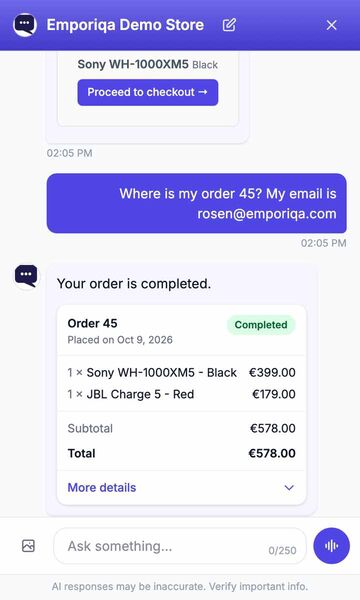
Recorded on our demo store. Only the wait for each answer is shortened.
Read the conversation
- Shopper: Do you have the Sony WH-1000XM5 in black?
- AI assistant: The Sony WH-1000XM5 is available in Black for €399.00. Its adaptive ANC uses dual processors and an eight-microphone array, helping reduce surrounding noise while keeping calls clear.
- The shopper adds it to the cart from the product card. The chat confirms: Added to cart, Sony WH-1000XM5 Black.
- Shopper: Where is my order 45? My email is [email protected]
- AI assistant: Your order is completed.
- An order card shows order 45: completed, 1 × Sony WH-1000XM5 - Black, €399.00, and 1 × JBL Charge 5 - Red, €179.00, total €578.00.
What the chat does for your customers
In your Drupal Commerce store, before and after they buy.
The right product variation
"Medium blue jacket in stock under €200" finds the exact variation, with its attributes, its price as Commerce resolves it (price lists included), and its stock from Commerce Stock or the stock field you choose.
Fills your Drupal Commerce cart
Adds, changes and removes products in the same Drupal Commerce cart your Add to cart button uses, then sends the shopper to your checkout. Commerce recalculates the order as usual, so your promotions apply, and minimum quantities from the field you map are respected. The chat quotes your catalog prices. A signed-in customer sees their own price, from your price lists and role-based prices (Emporiqa module 1.1.0 or later); your cart always applies them.
Where is my order?
The chat looks up the order in your Drupal Commerce store through the Emporiqa module and shows an order card with items, status and tracking (from Commerce Shipping). A guest gives the order number and email. Signed-in customers don't have to type their email (with the latest Emporiqa module). To turn this on, add the Order status rule in Emporiqa (Settings > Rules), paste in the address the module shows, then confirm it from the email we send.
Requests go to your team
Return, cancellation, change, quote and invoice requests are collected in the chat with the details filled in. It never refunds or cancels anything itself: the shopper is told the request was passed on. Already have a live chat? It can stay next to Emporiqa. Requests are emailed to your team, or sent to Zapier or Make. Add a ready-made rule in Settings > Rules. No extra charge.
Install in three steps
Composer and Drush, then two values from your Emporiqa dashboard: the Store ID and the Connection Secret.
-
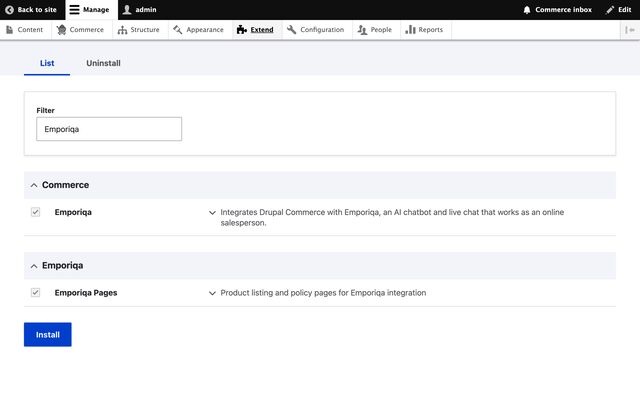
Step 1: Install the module from drupal.org -
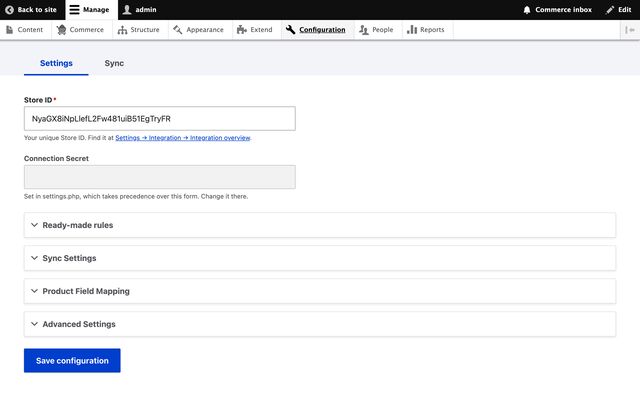
Step 2: Paste two credentials from your dashboard -
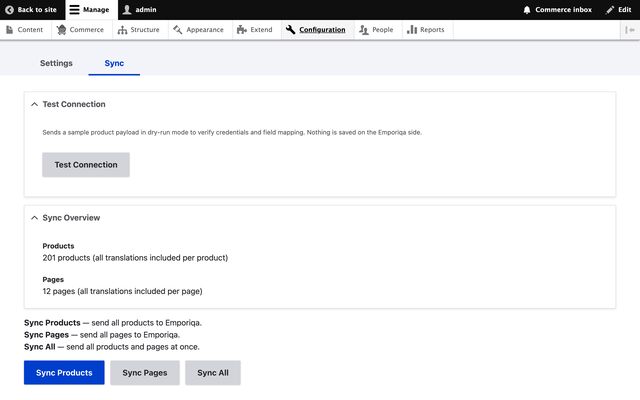
Step 3: Your catalog syncs
What syncs
Your Drupal Commerce store sends Emporiqa what the chat answers from, each time you save.
- Every Commerce product type, or only the ones you choose, with their variations
- Prices as an anonymous visitor pays them, through Commerce's price resolvers (Commerce Pricelist and Commerce Tax included); promotions apply in the cart, not in the price the chat quotes
- Stock from Commerce Stock, or from a stock field you map
- Nodes of the content types you enable as pages, and the category and brand fields you map
- The languages you choose, and each Commerce store as a channel
- Changes are sent right after each save, or by Drupal's cron, which must run at least hourly
Ask your AI assistant: will Emporiqa work for your Drupal Commerce store?
Open one, paste the question, read the answer.
Would Emporiqa (emporiqa.com) work for my Drupal Commerce store, and how does it compare with other AI chat tools for Drupal Commerce?
Opens in a new tab. We do not send any of your data.
Questions about Emporiqa on Drupal Commerce
Is the module on drupal.org?
Yes, it is the emporiqa project on drupal.org. Install it with composer require drupal/emporiqa and enable it with Drush or on the Extend page.
Which versions does it support?
Drupal 10.3, 11 and 12, Commerce 2.40 or later or Commerce 3, with PHP 8.1 or later.
Will it slow my store down?
No. The chat script loads asynchronously, after your page, and the AI runs on our servers. Changes go through Drupal's queue, after the page has been sent.
Can signed-in customers check an order without typing their email?
Yes, with the latest version of the module: a signed-in customer gives the order number, and the module checks the order is theirs. A guest gives the order number and the email on the order.
Does Emporiqa Work for My Drupal Commerce Store?
Pick your kind of store to see what shoppers ask in Drupal Commerce stores like it, and how the chat answers.
Add Emporiqa to your Drupal Commerce store
Pick whichever fits where you are today.