Help desk for WooCommerce, PrestaShop, Magento, Shopware, Drupal Commerce and Sylius shops
A team inbox, included with your AI shop assistant
Emporiqa answers shoppers in your shop’s chat and drafts replies to your customer emails. Your team takes over chats and answers emails in one dashboard.
Most shops don’t need a separate help desk: add your whole team, however large, with no seat fees. Choose a full help desk if you need tickets, response-time targets or routing.
What it does not do See the team inbox
What your team gets
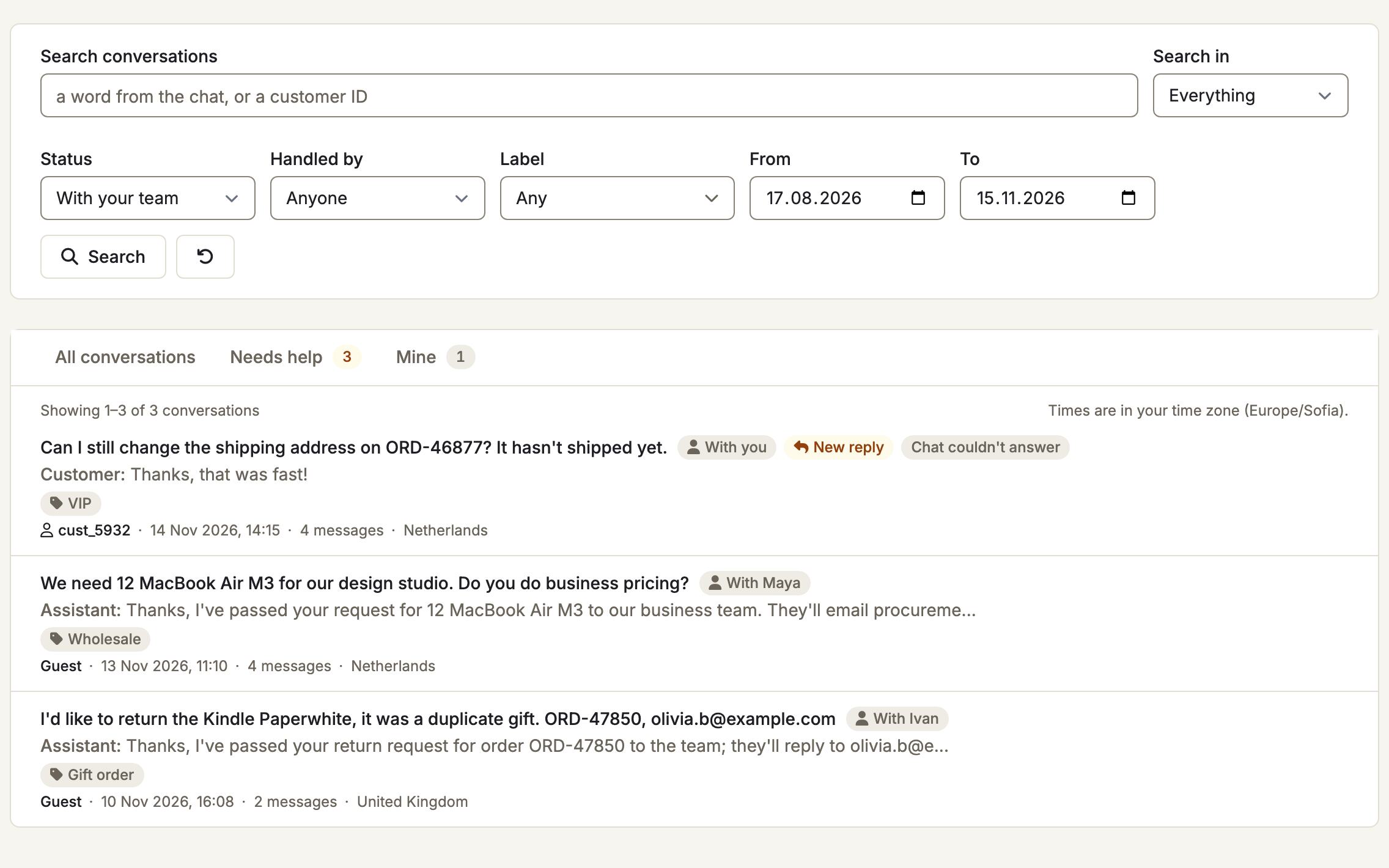
One dashboard, two pages: Conversations for the chat on your shop and Customer emails for your shop’s mailbox. Everyone on your team signs in with their own account and sees the same requests.
-
Take over a chat, then hand it back
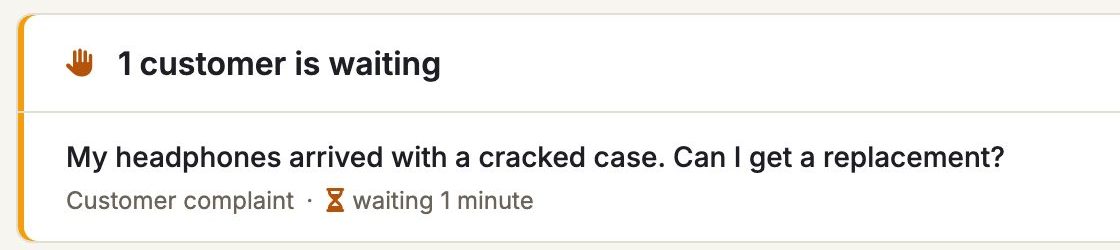
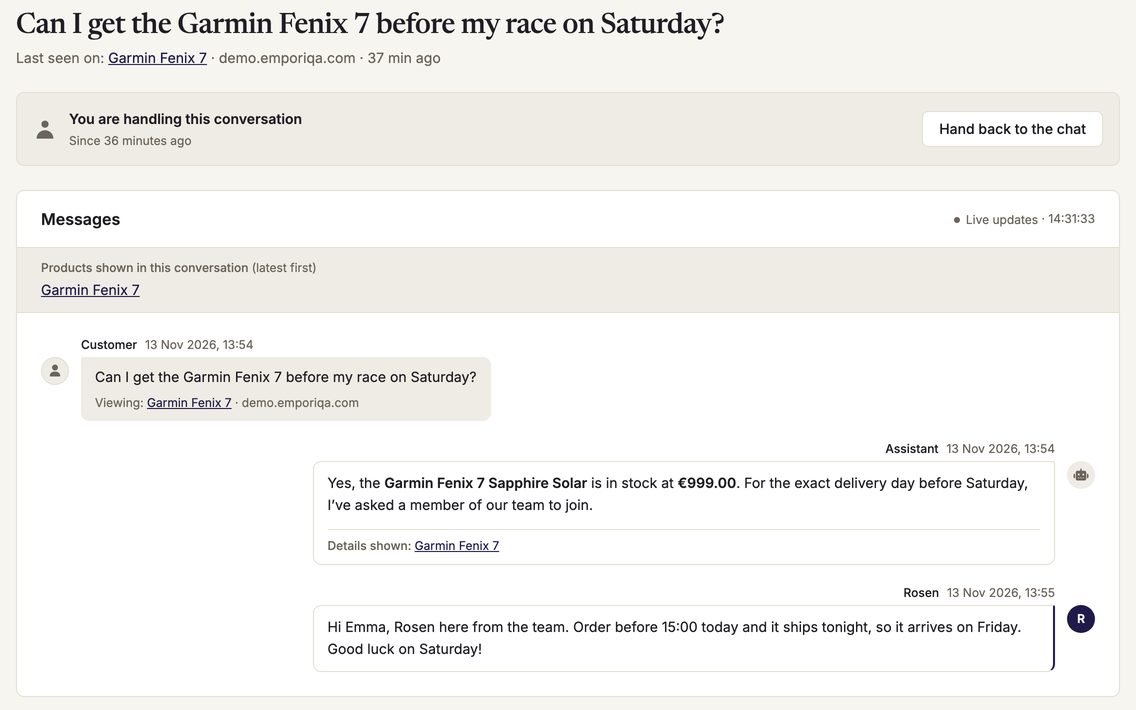
A shopper who asks for a person waits at the top of Conversations with a Take over button. You type in their own chat, with what the AI already said and your saved replies on screen. Transfer it to a colleague, or hand it back to the AI with a note for your team.
-
Customer emails, drafted for your team
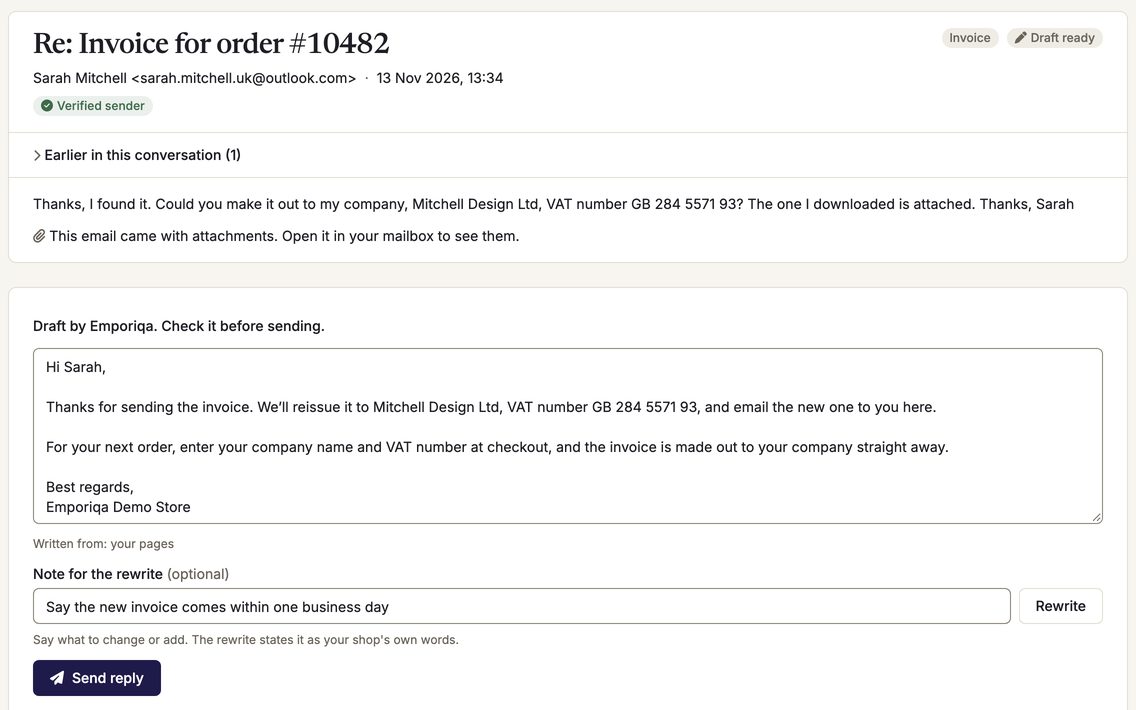
Each email is sorted into To answer, Needs you or Other mail. Press Write the reply for a draft from your catalog and pages, rewrite it with a note if it needs a change, and send it from your own address.
Drafts include order details on Gmail, Google Workspace and Microsoft; on other mailboxes they come from your catalog and pages.
-
Alerts, business hours, and when nobody is free
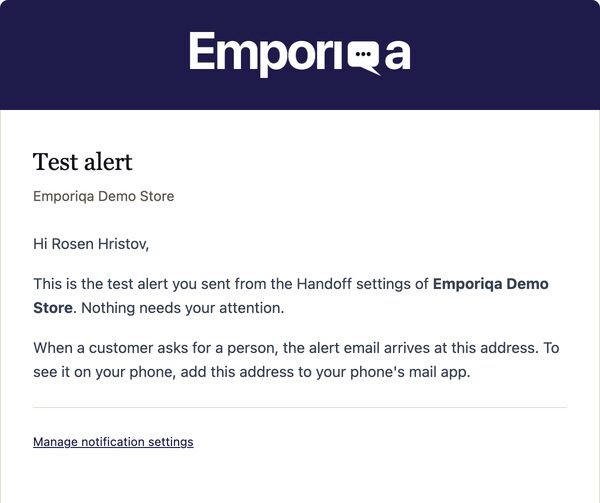
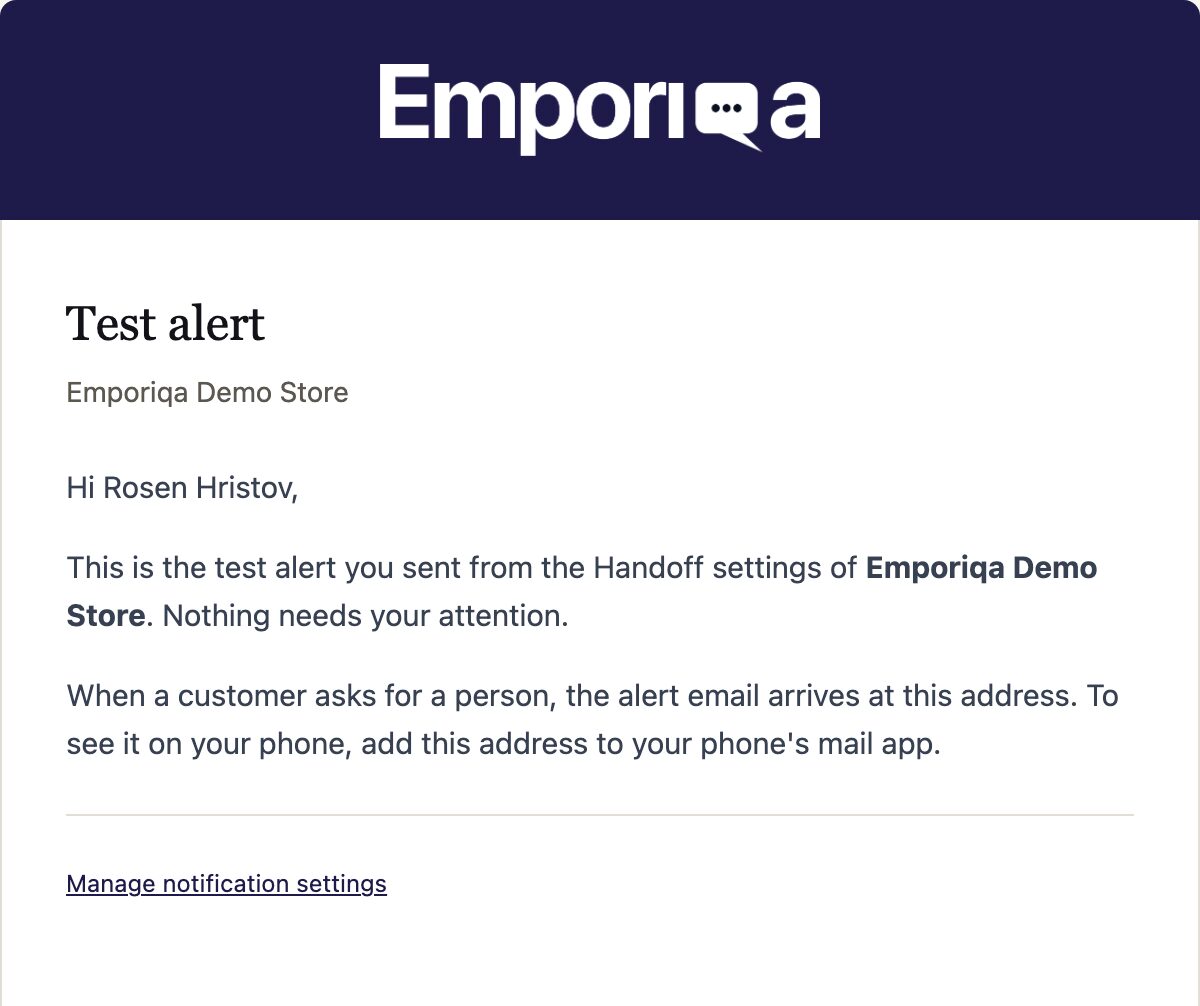
Alerts come in the dashboard, by email, and in Slack, Microsoft Teams, Discord or Google Chat, so they reach your phone through those apps. Outside your business hours the chat says when your team is back. During them, if nobody takes a request within the 2 to 10 minutes you choose, the chat tells the shopper, answers them again and your team gets one alert.
-
See who is handling what
Mine lists the chats you are handling. New reply marks a chat where the shopper wrote after your last answer, and a label shows what each request is about, such as Refund or return. When a customer is signed in to your shop, you also see their earlier conversations.
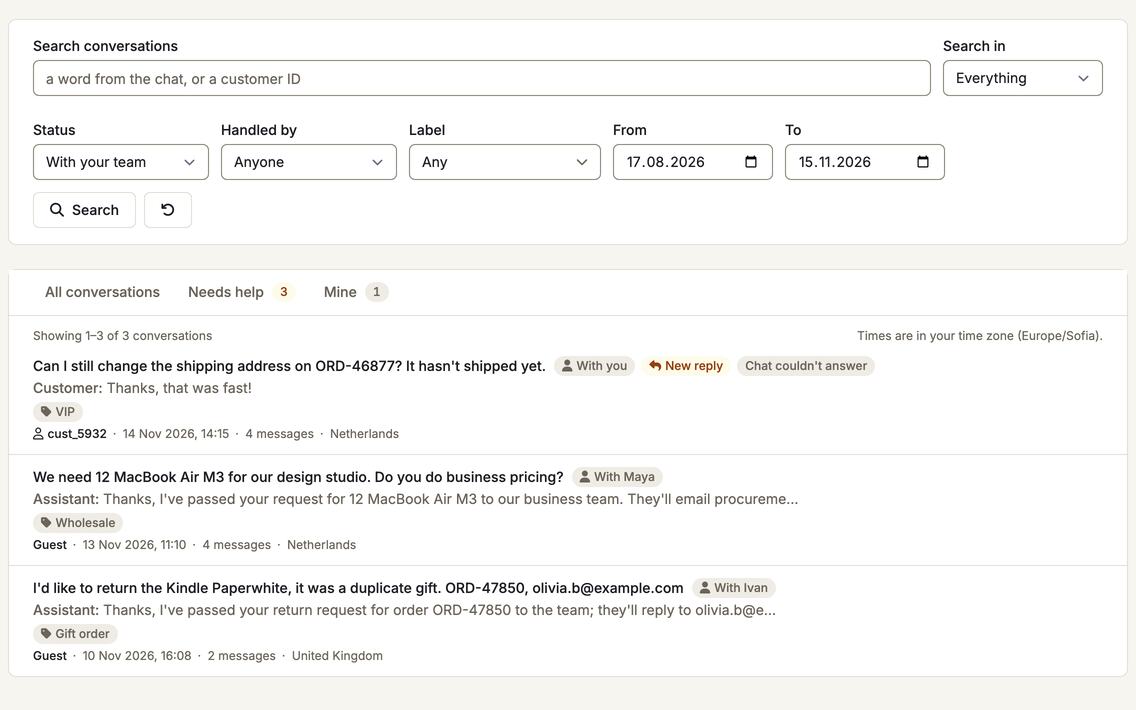
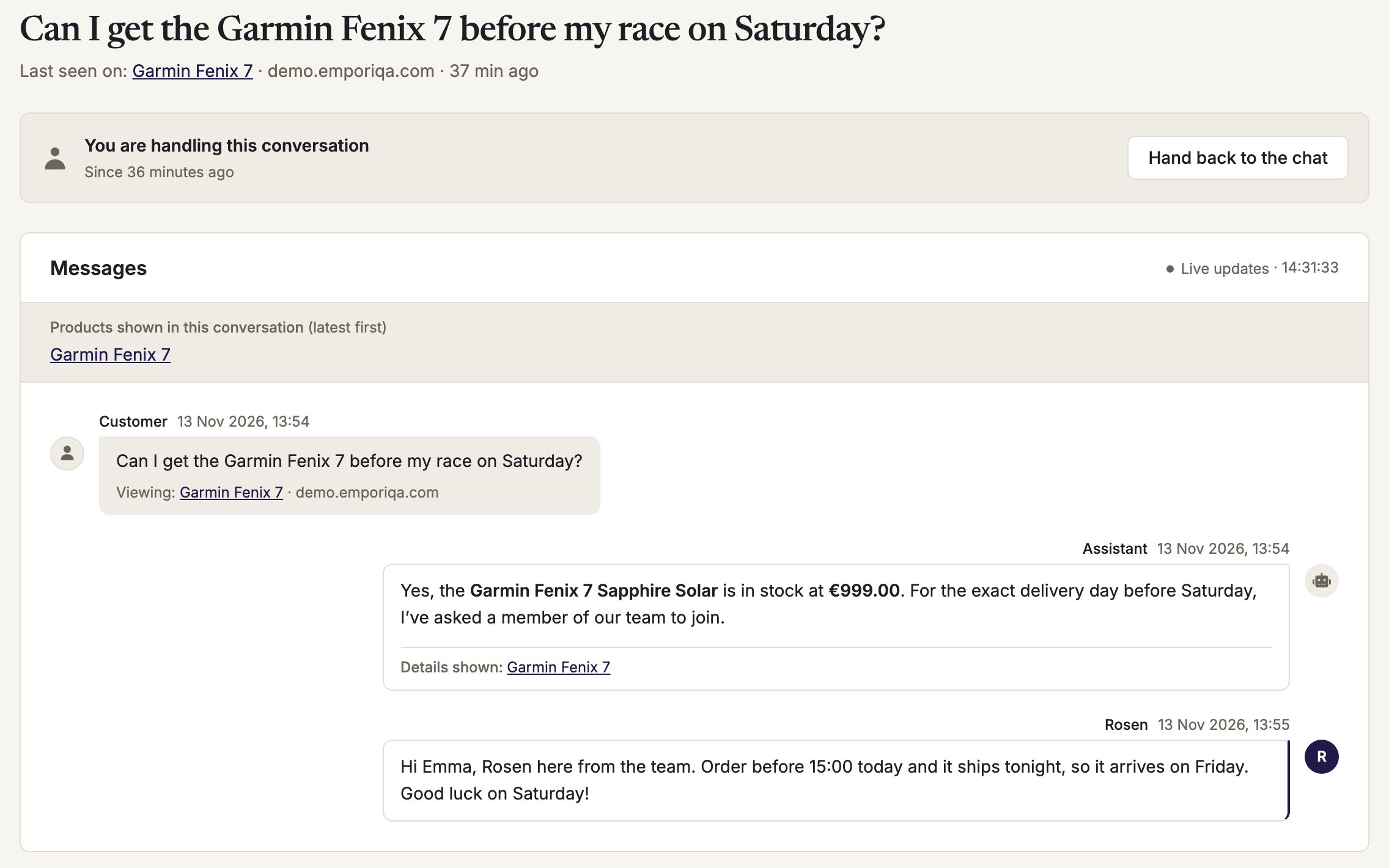
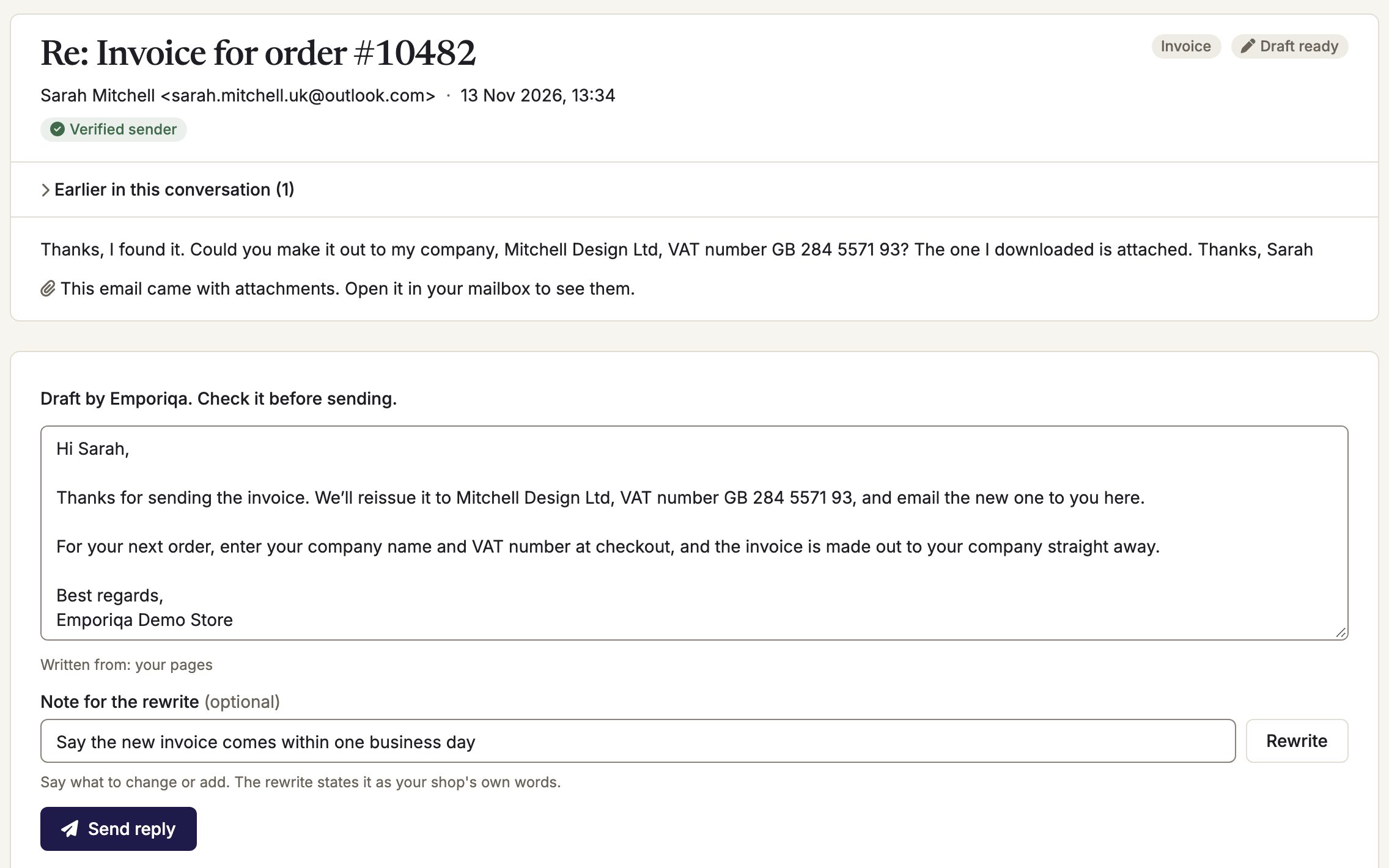
Screens from our demo store, with sample data. Click or tap one to see it full size.See it in the product tour (at 1:10)
How handoff to your team works How customer emails work Everything your team can do
Our business has a complex product catalogue with over 4,000 products and more than 100,000 SKUs, so implementing AI customer support was never going to be straightforward. The chatbot has handled this challenge remarkably well and has become a valuable part of our customer experience.
What the team inbox costs
You pay for
- Each conversation a shopper starts in the chat, billed once, however many of your team join it.
- Each email reply the AI drafted that you send.
Never charged
- Seats and colleagues: add as many as you need.
- Taking over, transferring or handing back a chat.
- Replies your team writes by hand, and sorting customer emails.
- A month with no chats and no AI-drafted replies.
A new account starts with signup credit for about 100 conversations and needs no card. When the credit runs out, the chat pauses until you add a card; nothing is charged before that. AI email drafts also pause then, and at 90% of your monthly limit; your team can still read and answer customer emails itself. New stores start with a monthly limit; you can raise, lower or clear it. At the limit the chat is hidden from your shop and charging stops. Voice, an optional extra, is listed on the pricing page.
Looking for tickets? What it does not do
Emporiqa is not a ticket system. If you searched for a ticket module, this is what you would not get:
- No tickets or ticket numbers. A chat stays one conversation, and an email stays in its thread.
- No response-time targets (SLAs), assignment rules or automatic routing between team members.
- No phone calls.
- No CRM, and no built-in connection to Zendesk, Gorgias, Freshdesk or HubSpot. A store rule can send a request’s details to Zapier or Make, and from there to the tool you use.
- Conversations and customer emails are kept for 90 days, and conversations can’t be exported.
- Customer emails can’t yet be assigned to one person or carry team notes, and attachments are not read.
If your shop needs those, a full help desk fits better. The chat can run on your shop next to it, and your team then answers chats in the Emporiqa dashboard.
Help desk by platform
The Emporiqa plugins are free to install. Each connects your catalog and orders, so the chat answers with your products and order status, and your team sees what it showed when it takes over.
WooCommerce helpdesk plugin, Gorgias alternative or Emporiqa?
Emporiqa on WooCommerce: install the plugin from WordPress.org, and the chat answers from your catalog, fills the cart and shows a customer their order, with tracking from Shipment Tracking or Advanced Shipment Tracking. Your team takes over in the Emporiqa dashboard and answers your shop’s customer emails there too.
Help desk plugins for WordPress, such as Fluent Support or Awesome Support, turn requests into tickets inside your WordPress admin; pick one of those if tickets are what you want. Gorgias connects to WooCommerce as well, but from Gorgias you can’t act on WooCommerce orders, and its AI Agent needs a Shopify store.
PrestaShop helpdesk: Customer Service page, ticket module or Emporiqa
Emporiqa on PrestaShop: the free module from the PrestaShop Addons Marketplace connects your catalog and orders. The chat finds the right product and combination, fills the cart and shows a customer where their order is, and a signed-in customer sees their own customer-group prices.
PrestaShop’s own Customer Service page collects contact-form messages in your back office, and ticket modules add statuses on top. Emporiqa answers in the chat before the shopper fills in the contact form, and your team answers the rest, chats and the emails in your shop’s mailbox, from the Emporiqa dashboard.
Magento helpdesk extension or Emporiqa?
Emporiqa on Magento and Adobe Commerce: the module from the Adobe Commerce Marketplace connects your catalog and orders. The chat adds to the Magento cart with your price rules applied, shows order status, and a signed-in customer sees their own prices.
Magento has no help desk of its own; extensions such as Mirasvit Help Desk MX turn emails into tickets in the Magento admin. Gorgias also has a Magento integration. With Emporiqa your team works outside the Magento admin, in the Emporiqa dashboard, on chats and customer emails.
Shopware helpdesk without a ticket system
Emporiqa on Shopware 6: install the plugin with Composer or from GitHub. The chat answers from your catalog, adds to the Shopware cart and shows order status with the tracking link of the shipping method, and a signed-in customer sees their own customer-group prices.
Shopware AG’s own Ticket System is for Shopware 5 only. For Shopware 6, ticket systems come as extensions in the Shopware Store, such as digitvision’s Ticket system; the three we checked are monthly or yearly subscriptions. Emporiqa is not a ticket system: the chat answers first, and your team takes over in the Emporiqa dashboard, with no seat fees.
Also on Drupal Commerce and Sylius
-
Emporiqa on Drupal Commerce: the module from drupal.org connects your catalog and orders, with tracking from Commerce Shipping.
-
Emporiqa on Sylius: the plugin from Packagist and Sylius Addons connects your catalog and orders.
Emporiqa or a separate help desk?
Most help desks charge per person on your team, per ticket, or per conversation a person joins. Emporiqa charges per conversation in the chat, including those the AI answers alone, and per AI-drafted email reply sent, with no seat fees. Here is how each one words it on its own pricing page.
How the team is charged, checked on 13 November 2026 on each vendor’s pricing page
-
EmporiqaNo seat fees, unlimited team members. Billed per chat conversation, also those the AI answers alone, and per AI-drafted email reply sent.
- AI
- An AI shop assistant that reads your catalog and orders through the plugin, on all six platforms.
- Fits better if you need
- A chat that sells and supports, and one dashboard for a small team.
-
GorgiasPer ticket, “never priced per agent”. Three agent seats on the two smallest plans, unlimited from Pro.
- AI
- AI Agent needs a Shopify store connected to Gorgias.
- Fits better if you need
- A Shopify shop, or a full help desk with Magento and WooCommerce integrations (on WooCommerce it can’t act on orders).
-
ZendeskPer agent, per month.
- AI
- AI agents, billed per automated resolution.
- Fits better if you need
- Ticketing, routing and phone support.
-
Help ScoutPer user. A free plan for 5 users and 100 contacts a month.
- AI
- Envoy, billed per resolution.
- Fits better if you need
- A shared email inbox with a help center (Docs).
-
TidioPer billable conversation, one where a person on your team writes. Up to 10 agents on self-serve plans.
- AI
- Lyro, billed per Lyro conversation.
- Fits better if you need
- Live chat with chatbot flows you build.
-
Re:amazePer team member, or a flat Starter plan for unlimited members, limited to 500 answered conversations a month.
- AI
- AI resolutions: a set number included, then billed per resolution.
- Fits better if you need
- A help desk with a flat plan, while you stay under that limit.
Emporiqa bills every chat, also the ones the AI answers alone. If you want a live chat without AI and most chats need a person anyway, a tool that bills only conversations a person joins, or Help Scout’s free plan for 5 users, can cost you less.
Prices side by side: Emporiqa vs GorgiasEmporiqa vs ZendeskEmporiqa vs Tidio All chat tools compared
Questions
What happens to the tickets in my current help desk?
Emporiqa does not import tickets or history from another help desk. Keep the old one until its open tickets are closed. New chats come into Emporiqa as soon as the chat is live, and customer emails from the moment you connect your mailbox; older mail is never opened.
Do I pay for a chat my colleague answered?
Yes, once. A conversation is billed when the shopper writes first, whether the AI or a person answers it. Taking it over, transferring it or handing it back adds nothing.
How many people can use it?
As many as you need. Each one signs in with their own account and can reply under their own name and photo.
What happens if I turn the chat off?
Shoppers stop seeing it, so no new conversations are billed, and your past conversations stay readable for 90 days. Customer emails keeps working on its own: sorting and replies your team writes cost nothing, and only replies the AI drafted that you send are charged. A shop can use Customer emails without ever putting the chat live.
Can I keep the help desk I have?
Yes. The chat runs on your shop next to it, and your team answers chats in the Emporiqa dashboard; it does not connect to another tool’s inbox. A store rule can send a request’s details to Zapier or Make, and from there to your help desk.
Where is the data kept, and is there a DPA?
The databases and search index run in Germany; AI model calls go to OpenAI in the US. Emporiqa is an EU company and does not train AI on your data. The data processing agreement (DPA) is on the DPA page, linked in the footer.
Try the team inbox on your own shop
Create a store, invite your team and test the chat on your products before shoppers see it.
Your team’s inbox is included, with no seat fees.
- Free to start
- Pay per use, no seat fees
- No card required